
Best 1080p 60fps Webcams in 2026: 9 Picks Compared on Specs
The AVer PTC500S is the top 1080p 60fps pick for its 30x optical zoom, intelligent tracking, and professional video outputs. We chose it and every other webcam in this guide by comparing the specifications each seller lists: resolution, frame rate, autofocus, microphone, privacy cover, and PTZ features. Prices are shown live on the page, and we have not tested any unit.
9 picks from 11 webcams that match this guide with a price we can quote today. Every price below is live and carries the moment it was read.
The picks at a glance
Which one should you buy?
- For a professional conference room: You need a camera that can track a speaker and zoom in optically. The AVer PTC500S offers 30x optical zoom and intelligent tracking, making it a strong fit for large rooms. See pick 1
- For solo streaming on a budget: You want a simple USB webcam with a microphone and autofocus for live streams. The NexiGo N960E adds a built-in light and a privacy cover, which helps in varied lighting. See pick 6
- For a portable PTZ setup: You need AI tracking in a compact package. The OBSBOT Tiny SE keeps the tracking and PTZ features in a small body that works for desks or small studios. See pick 5
The 9 picks
1 Best overall

AVer PTC500S PTZ Pro Track Camera w/3x Intelligent Track Modes
- Resolution
- 1080p
- Frame rate
- 60 fps or more
- AI tracking
- Yes
$7,160.00 price as of 2026-10-01 05:26 UTC (Details)
The AVer PTC500S is the only pick here with 30x optical zoom, and its three intelligent tracking modes make it a versatile choice for lecture halls, meeting rooms, and stage presentations. It also outputs 1080p at 60 fps, which is the target rate for this guide.
Pros
- 30x optical zoom, the highest in this list
- Three intelligent tracking modes as stated by the seller
- Supports 1080p at 60 fps or more
- PTZ controls allow remote positioning
Cons
- No microphone stated by the seller
- No autofocus specification listed by the seller
- Professional mounting likely required, but not stated
Good fit if
- Room-scale video capture where optical zoom matters
- Users who need automatic speaker tracking
Skip if
- You need a built-in microphone
- You prefer a compact desk-mounted webcam
Verdict: The AVer PTC500S leads on optical reach and tracking, making it the strongest all-around 1080p60 camera in this pool.
2 Best PTZ with multiple outputs

DAIPU PTZ Camera 30X Optical Zoom 1080P60 HDMI USB3.0 SDI LAN PoE AI
- Resolution
- 1080p
- Frame rate
- 60 fps or more
- AI tracking
- Yes
$419.00 price as of 2026-10-01 05:27 UTC (Details)
The DAIPU PTZ camera pairs a 30x optical zoom with simultaneous HDMI, USB 3.0, SDI, and LAN outputs, giving you flexible integration for AV systems. It also includes AI auto tracking and PoE support, which are rare in this group.
Pros
- 30x optical zoom
- Outputs over HDMI, USB 3.0, SDI, and LAN
- AI auto tracking and Power over Ethernet supported
- 1080p at 60 fps
Cons
- No microphone stated by the seller
- No autofocus specification listed
- May require dedicated video switcher for full output use
Good fit if
- Production crews needing multiple video feeds
- Fixed installations with network video infrastructure
Skip if
- You only need a simple USB webcam
- You don't have Ethernet or SDI equipment
Verdict: The DAIPU is the best choice if you need a conference camera that feeds multiple video systems, but you'll need to supply your own audio.
3 Best for live streaming with PTZ

AI Auto-Tracking PTZ Camera 20x Optical Zoom HDMI USB IP Live Streaming
- Resolution
- 1080p
- Frame rate
- 60 fps or more
- AI tracking
- Yes
$339.00 price as of 2026-10-01 05:24 UTC (Details)
The TONGVEO PTZ camera gives you 20x optical zoom, HDMI and USB output, and IP streaming in one unit. Its AI auto tracking keeps a moving subject in frame, which is a core feature for live event streams.
Pros
- 20x optical zoom
- HDMI, USB, and IP outputs
- AI auto tracking
- 1080p at 60 fps
Cons
- No microphone stated by the seller
- No autofocus specification listed
- Setup is more involved than a consumer webcam
Good fit if
- Streamers who pan and zoom during a show
- Small studios that need one camera for multiple angles
Skip if
- You want a plug-and-play USB webcam
- You don't need optical zoom
Verdict: For streamers willing to manage a PTZ camera, the TONGVEO offers a practical balance of zoom, outputs, and auto tracking.
4 Best simple USB with microphone

XFGsertXD 1080P 60fps USB Streaming Webcam
- Resolution
- 1080p
- Frame rate
- 60 fps or more
- Built-in microphone
- Yes
$130.12 price as of 2026-10-01 05:43 UTC (Details)
This XFGsertXD model is the only pick in the pool that lists a built-in microphone without also claiming autofocus or a privacy cover. That makes it a straightforward choice for users who want 1080p60 and a mic in a basic USB webcam.
Pros
- 1080p at 60 fps
- Built-in microphone
- Works with Windows, Mac, and Linux as stated
- No extra software mentioned for basic use
Cons
- Autofocus not stated by the seller
- No privacy cover stated
- No tracking or PTZ features
Good fit if
- Users who need a no-frills webcam for calls
- People using multiple operating systems
Skip if
- You want autofocus
- You need a privacy cover
Verdict: If you just need 1080p at 60 fps with a working microphone, this XFGsertXD covers the basics without extra features.
5 Best AI tracking PTZ webcam

OBSBOT Tiny SE 1080P 100FPS Webcam for PC
- Resolution
- 1080p
- Frame rate
- 60 fps or more
- AI tracking
- Yes
$89.00 price as of 2026-10-01 05:38 UTC (Details)
The OBSBOT Tiny SE lists a 1080p resolution at up to 100 fps, which exceeds the 60 fps target, and includes AI tracking plus PTZ movement in a compact body. It is the only pick in this list that advertises 100 fps in the product name.
Pros
- 1080p at up to 100 fps, above the 60 fps requirement
- AI tracking built in
- PTZ (pan, tilt, zoom) movement
- Compact form factor
Cons
- No microphone stated by the seller
- No autofocus specification listed
- Tracking may require the manufacturer's software
Good fit if
- Solo streamers who move around
- Users who want AI framing in a small webcam
Skip if
- You need a built-in microphone
- You don't want to install tracking software
Verdict: The OBSBOT Tiny SE delivers a high frame rate and intelligent tracking in a small package, making it a strong pick for dynamic solo streaming.
6 Best for streaming and conferencing with light

NexiGo N960E 1080P 60FPS Webcam with Light
- Resolution
- 1080p
- Frame rate
- 60 fps or more
- Autofocus
- Yes
- Built-in microphone
- Yes
- Privacy cover
- Yes
$69.99 price as of 2026-10-01 05:38 UTC (Details)
The NexiGo N960E combines autofocus, a microphone, a privacy cover, and an integrated light, which are the most commonly needed extra features for a hybrid work and stream setup. Its spec list covers all the essentials for a 1080p60 webcam.
Pros
- Autofocus included
- Built-in microphone
- Privacy cover for the lens
- Integrated light for low-light conditions
Cons
- No tracking feature
- No manual zoom or PTZ
Good fit if
- Remote workers who move between lighting conditions
- Streamers who want a light without a separate ring lamp
Skip if
- You need optical zoom
- You prefer a camera with no extra light source
Verdict: The NexiGo N960E is the most complete all-in-one webcam for everyday streaming and video calls, with autofocus, a mic, a light, and a privacy cover.
7 Best with RGB fill light

NBPOWER 1080P 60FPS Streaming Camera Webcam
- Resolution
- 1080p
- Frame rate
- 60 fps or more
- Autofocus
- Yes
- Built-in microphone
- Yes
$29.99 price as of 2026-10-01 05:38 UTC (Details)
The NBPOWER webcam is the only pick in this pool that specifically lists an RGB fill light. It also includes autofocus and a microphone, making it a compact option for streamers who want to adjust their lighting without external fixtures.
Pros
- RGB fill light for color adjustment
- Autofocus included
- Built-in microphone
- 1080p at 60 fps
Cons
- No privacy cover stated
- No tracking feature
Good fit if
- Streamers who want built-in accent lighting
- Users who often stream at different times of day
Skip if
- You need a privacy shutter
- You prefer a camera without any RGB glow
Verdict: The NBPOWER stands out for its integrated RGB fill light, giving streamers extra control over their video look without extra gear.
8 Best for meetings with dual noise-canceling mics
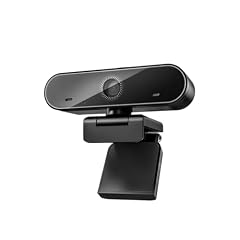
XFGsertXD 60FPS 1080P Live Streaming & Conference Webcam Dual
- Resolution
- 1080p
- Frame rate
- 60 fps or more
- Autofocus
- Yes
- Built-in microphone
- Yes
- Privacy cover
- Yes
$60.33 price as of 2026-10-01 05:43 UTC (Details)
This XFGsertXD model is the only one in the pool that lists dual noise-canceling microphones alongside HDR, autofocus, and a privacy cover. Those features make it a strong candidate for video conferencing in shared or noisy spaces.
Pros
- Dual noise-canceling microphones
- Autofocus included
- HDR support as stated by the seller
- Privacy cover included
Cons
- No tracking feature
- No optical zoom
Good fit if
- People who take calls in busy environments
- Users who want HDR for uneven lighting
Skip if
- You need a PTZ camera
- You don't need extra microphones
Verdict: If your main concern is clear audio during meetings, the XFGsertXD conference webcam offers dual noise-canceling mics, HDR, autofocus, and a privacy cover.
9 Best with software control

NexiGo N980P 1080P 60FPS Webcam with Microphone and Software Control
- Resolution
- 1080p
- Frame rate
- 60 fps or more
- Built-in microphone
- Yes
$54.99 price as of 2026-10-01 05:38 UTC (Details)
The NexiGo N980P is the only pick in this list that explicitly mentions software control in its product name. It also includes a microphone and dual noise-canceling mics, giving you more adjustment options than a fixed-settings webcam.
Pros
- Software control for image settings
- Dual noise-canceling microphones
- 1080p at 60 fps
- USB connection
Cons
- Autofocus not stated by the seller
- No privacy cover stated
Good fit if
- Users who want to tweak exposure and color
- Streamers who prefer to adjust settings in software
Skip if
- You want a true plug-and-play camera with no software
- You need autofocus
Verdict: The NexiGo N980P is a good match if you want to fine-tune your video feed with the included software, but you'll need to check whether the fixed focus meets your needs.
Side by side
| # | Webcam | Resolution | Frame rate | Autofocus | Built-in microphone | Privacy cover | AI tracking |
|---|---|---|---|---|---|---|---|
| 1 | AVer PTC500S PTZ Pro Track Camera w/3x Intelligent Track Modes | 1080p | 60 fps or more | not stated | not stated | not stated | Yes |
| 2 | DAIPU PTZ Camera 30X Optical Zoom 1080P60 HDMI USB3.0 SDI LAN PoE AI | 1080p | 60 fps or more | not stated | not stated | not stated | Yes |
| 3 | AI Auto-Tracking PTZ Camera 20x Optical Zoom HDMI USB IP Live Streaming | 1080p | 60 fps or more | not stated | not stated | not stated | Yes |
| 4 | XFGsertXD 1080P 60fps USB Streaming Webcam | 1080p | 60 fps or more | not stated | Yes | not stated | not stated |
| 5 | OBSBOT Tiny SE 1080P 100FPS Webcam for PC | 1080p | 60 fps or more | not stated | not stated | not stated | Yes |
| 6 | NexiGo N960E 1080P 60FPS Webcam with Light | 1080p | 60 fps or more | Yes | Yes | Yes | not stated |
| 7 | NBPOWER 1080P 60FPS Streaming Camera Webcam | 1080p | 60 fps or more | Yes | Yes | not stated | not stated |
| 8 | XFGsertXD 60FPS 1080P Live Streaming & Conference Webcam Dual | 1080p | 60 fps or more | Yes | Yes | Yes | not stated |
| 9 | NexiGo N980P 1080P 60FPS Webcam with Microphone and Software Control | 1080p | 60 fps or more | not stated | Yes | not stated | not stated |
How we picked
We pulled every webcam in the catalogue that lists 1080p at 60 fps or higher, which gave 9 distinct models. We included all 9 because the set is small. For each model we recorded the seller-stated specifications: whether it has autofocus, a microphone, a privacy cover, tracking, and the type of video output. No product was tested; the selections rest on the published specifications and on the manufacturer and standards information linked in the sources. Prices shown next to each pick are read live from the store listing and may change.
How to choose
Frame rate: why 60 fps matters
A webcam that lists 60 fps at 1080p captures twice as many frames per second as a 30 fps model. This makes motion look smoother during fast movements, which helps when you present a product, use hand gestures, or stream gameplay. All the picks in this guide list 1080p at 60 fps or higher, so any of them will give you that smoothness.
If you see a camera that only lists 30 fps at 1080p, it may still be fine for static meetings, but it will show more blur when you move quickly. The OBSBOT Tiny SE goes beyond the target with 100 fps at 1080p, though not every app supports that frame rate.
Autofocus vs. fixed focus
Autofocus helps keep you sharp when you lean in or move closer to the camera. It is useful for presenters who shift within the frame. Several picks here, including the NexiGo N960E, the NBPOWER, and the XFGsertXD conference model, list autofocus.
Fixed-focus webcams, like the NexiGo N980P, rely on a set depth of field. They can be perfectly clear at a typical desk distance, but they will not adjust if you move forward. If you stay in one spot, fixed focus can work, but if you move, autofocus is safer.
Microphones: built-in vs. external
Many of the picks in this list include a microphone, but the quality and setup vary. Some, like the two XFGsertXD models, list dual noise-canceling microphones, which can reduce background chatter. The DAIPU and AVer PTZ cameras do not list built-in mics, so you will need a separate microphone or an audio mixer for those units.
If you already own a USB or XLR microphone, you can ignore the mic on the webcam and disable it in your operating system. If you want the least amount of equipment, choose a model with a built-in mic that meets your needs.
Tracking and PTZ: when you move
PTZ stands for pan, tilt, and zoom. It lets the camera move to follow a subject or adjust the framing without you touching it. The AVer, DAIPU, TONGVEO, and OBSBOT picks all include some form of tracking or PTZ.
For a solo streamer who stays at a desk, AI tracking can keep you centered even if you shift around. In a conference room, a PTZ camera with optical zoom can capture a wide view of a table and then zoom in on whoever is speaking. These features add complexity and usually require the manufacturer's control software or a remote controller.
Privacy covers and connectivity
A privacy cover blocks the lens when you are not using the camera. It is a simple physical feature that can be important if you worry about accidental recording. The NexiGo N960E and the XFGsertXD conference model both list a privacy cover.
For connectivity, all the picks here use USB, but the PTZ models also offer HDMI, SDI, LAN, or PoE. USB Video Class (UVC) support means the camera works with the system driver, so you don't need to install a separate driver. This is important if you plan to switch between Windows, macOS, or Linux devices. The Microsoft driver page explains how UVC devices are handled.
Questions
What does 1080p 60fps mean for a webcam?
1080p means a resolution of 1920 by 1080 pixels, which is full HD. 60fps means the camera can capture up to 60 frames per second. This combination produces motion that looks smoother than 30fps, which is helpful for presentations, streaming, and any video with quick movement. It also uses more bandwidth than 30fps, so your computer and network should be able to handle the higher frame rate.
Do I need a PTZ webcam?
PTZ stands for pan, tilt, and zoom. You need it if you want the camera to follow you or change its framing automatically. This is useful for solo streamers who move around, or for room-scale cameras that need to zoom in on a speaker. For a fixed desk setup, a standard webcam with autofocus and a wide field of view is usually enough.
Can these webcams work with Mac and Windows?
Most modern webcams that follow the USB Video Class (UVC) standard are plug-and-play with Windows, macOS, and many Linux distributions. The Microsoft USB Video Class driver page confirms that UVC devices work with the system driver. The pool includes models that explicitly state compatibility with Windows, Mac, and Linux, such as the XFGsertXD streaming camera. For PTZ and tracking features, you may need to install the manufacturer's software for full control.
Why do some picks not have a microphone?
PTZ cameras intended for conference rooms or production often omit a built-in microphone because audio is handled by a separate microphone array, a ceiling mic, or an external mixer. The AVer PTC500S and the DAIPU PTZ camera both list no microphone in their specifications. If you choose one of these, you will need a separate audio input for your computer or video switcher. For a quick desktop setup, a webcam with a built-in mic is more convenient.
Is a privacy cover necessary?
A privacy cover is a physical shutter that blocks the lens when you are not using the webcam. It prevents any software from accidentally recording you. It is not a requirement, but it is a simple way to protect your home or office privacy. Two picks in this list, the NexiGo N960E and the XFGsertXD conference model, include a privacy cover. Other webcams may rely on a removable lens cap or no covering at all.
Recent updates
- : First published.